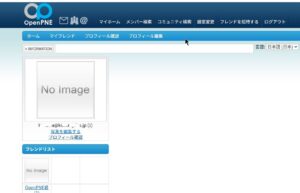

OpenPNE3.10をnginxで起動させる
前準備
phpに組み込もうと思いパッケージをインストールした情報です。
Libiconv-1.18
Rocky Linuxにlibiconvパッケージは無いのでソースからインストールする。
以下のコマンドでソースファイルを取得するする。
# wget https://ftp.gnu.org/pub/gnu/libiconv/libiconv-1.18.tar.gz
--2025-05-25 17:57:48--  https://ftp.gnu.org/pub/gnu/libiconv/libiconv-1.18.tar.gz
ftp.gnu.org (ftp.gnu.org) をDNSに問いあわせています... 209.51.188.20, 2001:470:142:3::b
ftp.gnu.org (ftp.gnu.org)|209.51.188.20|:443 に接続しています... 接続しました。
HTTP による接続要求を送信しました、応答を待っています... 200 OK
長さ: 5822590 (5.6M) [application/x-gzip]
libiconv-1.18.tar.gz' に保存中
libiconv-1.18.tar.gz             100%[===================  5.55M  3.49MB/s 時間 1.6s
2025-05-25 17:57:51 (3.49 MB/s) - libiconv-1.18.tar.gz' へ保存完了 [5822590/5822590]

#
アーカイブを展開する
# tar xvfz libiconv-1.18.tar.gz
libiconv-1.18/
libiconv-1.18/doc/
libiconv-1.18/doc/relocatable.texi
libiconv-1.18/windows/
           :
libiconv-1.18/extras/iconv_string.c
libiconv-1.18/extras/iconv_string.h
libiconv-1.18/COPYING
libiconv-1.18/DEPENDENCIES
#
configureを実行する
# cd libiconv-1.18
#
# ./configure  --prefix=/usr/local
checking for a BSD-compatible install... /usr/bin/install -c
checking whether sleep supports fractional seconds... yes
checking filesystem timestamp resolution... 0.01
checking whether build environment is sane... yes
         :
config.status: creating include/localcharset.h.inst
config.status: creating config.h
config.status: executing libtool commands
#
makeする
# make ZEND_EXTRA_LIBS='-liconv'
builddir="pwd"; cd libcharset && make all && make install-lib libdir="$builddir/lib" includedir="$builddir/lib"
make[1]: ディレクトリ '/home/kusama/libiconv-1.18/libcharset' に入ります
cd lib && make all
make[2]: ディレクトリ '/home/kusama/libiconv-1.18/libcharset/lib' に入ります
/bin/sh ../libtool --mode=compile gcc -I. -I. -I.. -I./.. -I../include -g -O2 -fvisibility=hidden  -DBUILDING_LIBCHARSET -DHAVE_CONFIG_H -c ./localcharset.c
          :
make[1]: ディレクトリ '/home/kusama/libiconv-1.18/man' から出ます
if test -d tests; then cd tests && make all; fi
make[1]: ディレクトリ '/home/kusama/libiconv-1.18/tests' に入ります
make[1]: 'all' に対して行うべき事はありません.
make[1]: ディレクトリ '/home/kusama/libiconv-1.18/tests' から出ます
#
インストールする
# make install
d libcharset && make install prefix='/usr/local' exec_prefix='/usr/local' libdir='/usr/local/lib'
make[1]: ディレクトリ '/home/kusama/libiconv-1.18/libcharset' に入ります
cd lib && make all
make[2]: ディレクトリ '/home/kusama/libiconv-1.18/libcharset/lib' に入ります
make[2]: 'all' に対して行うべき事はありません.
make[2]: ディレクトリ '/home/kusama/libiconv-1.18/libcharset/lib' から出ます
cd lib && make install prefix='/usr/local' exec_prefix='/usr/local' libdir='/usr/local/lib'
make[2]: ディレクトリ '/home/kusama/libiconv-1.18/libcharset/lib' に入ります
/bin/sh ../build-aux/mkinstalldirs /usr/local/lib ; \
           :
/usr/bin/install -c -m 644 ./iconv_open.3.html /usr/local/share/doc//iconv_open.3.html
/usr/bin/install -c -m 644 ./iconv_open_into.3.html /usr/local/share/doc//iconv_open_into.3.html
/usr/bin/install -c -m 644 ./iconvctl.3.html /usr/local/share/doc//iconvctl.3.html
make[1]: ディレクトリ '/home/kusama/libiconv-1.18/man' から出ます
#
OpenSSL-1.1.1
PHP-7.4.33はOpenSSL-3.0では対応しないため、OpenSSL-1.1.1をインストールする。
以下のサイトからOpenSSL-1.1.1wを取得する。
Old 1.1.1 Releases | OpenSSL Library
アーカイブを展開する
# tar xvfz openssl-1.1.1w.tar.gz
openssl-1.1.1w/
openssl-1.1.1w/ACKNOWLEDGEMENTS
openssl-1.1.1w/AUTHORS
openssl-1.1.1w/CHANGES
           :
openssl-1.1.1w/util/shlib_wrap.sh.in
openssl-1.1.1w/util/su-filter.pl
openssl-1.1.1w/util/unlocal_shlib.com.in
openssl-1.1.1w/wycheproof/
#
configureを実行する
# cd openssl-1.1.1w/
#
# ./Configure linux-aarch64 --prefix=/usr/local/ssl --openssldir=/usr/local/ssl shared zlib
Configuring OpenSSL version 1.1.1w (0x1010117fL) for linux-aarch64
Using os-specific seed configuration
Creating configdata.pm
Creating Makefile
**********************************************************************
***                                                                ***
***   OpenSSL has been successfully configured                     ***
***                                                                ***
***   If you encounter a problem while building, please open an    ***
***   issue on GitHub <https://github.com/openssl/openssl/issues>  ***
***   and include the output from the following command:           ***
***                                                                ***
***       perl configdata.pm --dump                                ***
***                                                                ***
***   (If you are new to OpenSSL, you might want to consult the    ***
***   'Troubleshooting' section in the INSTALL file first)         ***
***                                                                ***
**********************************************************************
#
makeする
# make
/usr/bin/perl "-I." -Mconfigdata "util/dofile.pl" \
    "-oMakefile" include/crypto/bn_conf.h.in > include/crypto/bn_conf.h
/usr/bin/perl "-I." -Mconfigdata "util/dofile.pl" \
    "-oMakefile" include/crypto/dso_conf.h.in > include/crypto/dso_conf.h
/usr/bin/perl "-I." -Mconfigdata "util/dofile.pl" \
    "-oMakefile" include/openssl/opensslconf.h.in > include/openssl/opensslconf.h
make depend && make _all
make[1]: Entering directory '/usr/local/src/openssl-1.1.1w'
make[1]: Leaving directory '/usr/local/src/openssl-1.1.1w'
           :
chmod a+x tools/c_rehash
/usr/bin/perl "-I." -Mconfigdata "util/dofile.pl" \
    "-oMakefile" util/shlib_wrap.sh.in > "util/shlib_wrap.sh"
chmod a+x util/shlib_wrap.sh
make[1]: Leaving directory '/usr/local/src/openssl-1.1.1w'
#
テストする
コンパイルは無事終わっているので問題無いと思うが確認する。
# make test
make depend && make _tests
make[1]: Entering directory '/usr/local/src/openssl-1.1.1w'
make[1]: Leaving directory '/usr/local/src/openssl-1.1.1w'
make[1]: Entering directory '/usr/local/src/openssl-1.1.1w'
( cd test; \
  mkdir -p test-runs; \
  SRCTOP=../. \
  BLDTOP=../. \
  RESULT_D=test-runs \
  PERL="/usr/bin/perl" \
  EXE_EXT= \
  OPENSSL_ENGINES=cd .././engines 2>/dev/null && pwd \
  OPENSSL_DEBUG_MEMORY=on \
    /usr/bin/perl .././test/run_tests.pl  )
./test/recipes/01-test_abort.t .................... ok
../test/recipes/01-test_sanity.t ................... ok
           :
../test/recipes/99-test_ecstress.t ................. ok
./test/recipes/99-test_fuzz.t ..................... ok
All tests successful.
Files=159, Tests=2658, 382 wallclock secs ( 5.73 usr  0.73 sys + 296.99 cusr 102.35 csys = 405.80 CPU)
Result: PASS
make[1]: Leaving directory '/usr/local/src/openssl-1.1.1w'
#
インストールする
# make install
make depend && make _build_libs
make[1]: Entering directory '/usr/local/src/openssl-1.1.1w'
make[1]: Leaving directory '/usr/local/src/openssl-1.1.1w'
make[1]: Entering directory '/usr/local/src/openssl-1.1.1w'
make[1]: Nothing to be done for '_build_libs'.
make[1]: Leaving directory '/usr/local/src/openssl-1.1.1w'
created directory `/usr/local/ssl'
           :
/usr/local/ssl/share/doc/openssl/html/man7/ssl.html
/usr/local/ssl/share/doc/openssl/html/man7/X25519.html
/usr/local/ssl/share/doc/openssl/html/man7/X448.html -> /usr/local/ssl/share/doc/openssl/html/man7/X25519.html
/usr/local/ssl/share/doc/openssl/html/man7/x509.html
#
PHP-7.4.33インストール
アプリケーションがphp-8.3で動作しているため、OpenPNE用にphp-7.4.33を/usr/localディレクトリにインストールする。
OpenPNEでは、認証に画像に英数字表示して利用するためGDライブラリを取り込む必要が有る。
GDライブラリが組み込まれていないphpを利用した場合、認証が必要な画面で500(サーバエラー)のエラーとなる。
make testでエラーとなるが、すべてエラーと取り除くのはできないとのWebの情報があるための無視してインストールする。
ソースファイルを取得する。
以下のURLからphp-7.4.33バージョンを検索して取得する。
https://www.php.net/releases/
アーカイブを展開する
# tar xvfz php-7.4.33.tar.gz
php-7.4.33/
php-7.4.33/buildconf.bat
php-7.4.33/azure-pipelines.yml
php-7.4.33/README.md
php-7.4.33/configure.ac
php-7.4.33/win32/
php-7.4.33/win32/sockets.c
    :
php-7.4.33/Zend/zend_sort.h
php-7.4.33/Zend/zend_vm_gen.php
php-7.4.33/Zend/Makefile.frag
php-7.4.33/Zend/zend_language_parser.y
php-7.4.33/Zend/zend_ini.c
php-7.4.33/Zend/zend_hash.c
#
configureを実行する
# cd php-7.4.33
#
# ./configure \
--build=arm \
--prefix=/usr/local/php-7.4 \
--sysconfdir=/usr/local/php-7.4/etc/php \
--with-config-file-path=/usr/local/php-7.4/etc/php \
--with-config-file-scan-dir=/usr/local/php-7.4/etc/php/conf.d \
--with-xmlrpc \
--with-mysqli=mysqlnd \
--with-pdo-mysql=mysqlnd \
--with-mysql-sock=/var/lib/mysql/mysql.sock \
--with-zlib \
--with-zlib-dir=/usr/lib \
--with-iconv=/usr/local \
--with-curl \
--with-jpeg \
--with-gettext \
--with-xpm \
--with-libxml \
--with-freetype \
--with-fpm-user=nginx \
--with-fpm-group=nginx \
--with-bz2 \
--enable-ftp \
--with-mhash \
--with-iconv=/usr/local \
--with-iconv-dir=/usr/local \
--with-zip \
--with-readline \
--with-gettext \
--with-openssl=/usr/local/ssl \
--with-openssl-dir=/usr/local/ssl \
--enable-mysqlnd \
--enable-inline-optimization \
--enable-fpm \
--enable-xml \
--enable-gd \
--enable-gd-jis-conv \
--enable-intl \
--enable-mbstring \
--enable-mbregex \
--enable-json \
--enable-shared \
--enable-cli \
--disable-debug \
--enable-maintainer-zts \
--enable-bcmath \
--enable-calendar \
--enable-dba \
--enable-exif \
--enable-sysvshm \
--enable-sysvsem \
--enable-sysvmsg \
--enable-pcntl \
--enable-shmop \
--enable-soap \
--enable-sockets \
--with-pear \
OPENSSL_CFLAGS=-I/usr/local/ssl/include \
OPENSSL_LIBS="-L/usr/local/ssl/lib -lssl -lcrypto"
checking for grep that handles long lines and -e... /usr/bin/grep
checking for egrep... /usr/bin/grep -E
checking for a sed that does not truncate output... /usr/bin/sed
checking build system type... arm-unknown-none
          :
config.status: creating main/php_config.h
config.status: executing default commands
+--------------------------------------------------------------------+
| License:                                                           |
| This software is subject to the PHP License, available in this     |
| distribution in the file LICENSE. By continuing this installation  |
| process, you are bound by the terms of this license agreement.     |
| If you do not agree with the terms of this license, you must abort |
| the installation process at this point.                            |
+--------------------------------------------------------------------+
Thank you for using PHP.
#
makeする
# make
/bin/sh /usr/local/src/php-7.4/php-7.4.33/libtool --silent --preserve-dup-deps --mode=compile cc -DZEND_ENABLE_STATIC_TSRMLS_CACHE=1 -Iext/opcache/ -I/usr/local/src/php-7.4/php-7.4.33/ext/opcache/ -DPHP_ATOM_INC -I/usr/local/src/php-7.4/php-7.4.33/include -I/usr/local/src/php-7.4/php-7.4.33/main -I/usr/local/src/php-7.4/php-7.4.33 -I/usr/local/src/php-7.4/php-7.4.33/ext/date/lib -I/usr/include/libxml2 -I/usr/local/ssl/include -I/usr/include/libpng16 -I/usr/include/freetype2 -I/usr/include/harfbuzz -I/usr/include/glib-2.0 -I/usr/lib64/glib-2.0/include -I/usr/include/sysprof-4 -I/usr/local/include -I/usr/local/src/php-7.4/php-7.4.33/ext/mbstring/libmbfl -I/usr/local/src/php-7.4/php-7.4.33/ext/mbstring/libmbfl/mbfl -I/usr/local/src/php-7.4/php-7.4.33/TSRM -I/usr/local/src/php-7.4/php-7.4.33/Zend  -pthread  -I/usr/local/include -g -O2 -fvisibility=hidden -pthread -Wall -Wno-strict-aliasing -DZTS -DZEND_SIGNALS    -c /usr/local/src/php-7.4/php-7.4.33/ext/opcache/ZendAccelerator.c -o ext/opcache/ZendAccelerator.lo
/bin/sh /usr/local/src/php-7.4/php-7.4.33/libtool --silent --preserve-dup-deps --mode=compile cc -DZEND_ENABLE_STATIC_TSRMLS_CACHE=1 -Iext/opcache/ -I/usr/local/src/php-7.4/php-7.4.33/ext/opcache/ -DPHP_ATOM_INC -I/usr/local/src/php-7.4/php-7.4.33/include -I/usr/local/src/php-7.4/php-7.4.33/main -I/usr/local/src/php-7.4/php-7.4.33 -I/usr/local/src/php-7.4/php-7.4.33/ext/date/lib -I/usr/include/libxml2 -I/usr/local/ssl/include -I/usr/include/libpng16 -I/usr/include/freetype2 -I/usr/include/harfbuzz -I/usr/include/glib-2.0 -I/usr/lib64/glib-2.0/include -I/usr/include/sysprof-4 -I/usr/local/include -I/usr/local/src/php-7.4/php-7.4.33/ext/mbstring/libmbfl -I/usr/local/src/php-7.4/php-7.4.33/ext/mbstring/libmbfl/mbfl -I/usr/local/src/php-7.4/php-7.4.33/TSRM -I/usr/local/src/php-7.4/php-7.4.33/Zend  -pthread  -I/usr/local/include -g -O2 -fvisibility=hidden -pthread -Wall -Wno-strict-aliasing -DZTS -DZEND_SIGNALS    -c /usr/local/src/php-7.4/php-7.4.33/ext/opcache/zend_accelerator_blacklist.c -o ext/opcache/zend_accelerator_blacklist.lo
          :
Generating phar.php
Generating phar.phar
PEAR package PHP_Archive not installed: generated phar will require PHP's phar extension be enabled.
directorygraphiterator.inc
directorytreeiterator.inc
invertedregexiterator.inc
clicommand.inc
pharcommand.inc
phar.inc
Build complete.
Don't forget to run 'make test'.
#
テストする
最後にエラー表示があるが、無視する。
# make test
Build complete.
Don't forget to run 'make test'.
Failed loading /usr/local/src/php-7.4/php-7.4.33/modules/:  /usr/local/src/php-7.4/php-7.4.33/modules/: cannot read file data: Is a directory
Failed loading /usr/local/src/php-7.4/php-7.4.33/modules/:  /usr/local/src/php-7.4/php-7.4.33/modules/: cannot read file data: Is a directory
Failed loading /usr/local/src/php-7.4/php-7.4.33/modules/:  /usr/local/src/php-7.4/php-7.4.33/modules/: cannot read file data: Is a directory
=====================================================================
PHP         : /usr/local/src/php-7.4/php-7.4.33/sapi/cli/php
PHP_SAPI    : cli
PHP_VERSION : 7.4.33
ZEND_VERSION: 3.4.0
PHP_OS      : Linux - Linux raspberrypi 6.1.31-v8.1.el9.altarch #1 SMP PREEMPT Sat Jun 10 22:16:20 UTC 2023 aarch64
INI actual  : /usr/local/src/php-7.4/php-7.4.33/tmp-php.ini
More .INIs  :
---------------------------------------------------------------------
PHP         : /usr/local/src/php-7.4/php-7.4.33/sapi/phpdbg/phpdbg
PHP_SAPI    : phpdbg
PHP_VERSION : 7.4.33
ZEND_VERSION: 3.4.0
PHP_OS      : Linux - Linux raspberrypi 6.1.31-v8.1.el9.altarch #1 SMP PREEMPT Sat Jun 10 22:16:20 UTC 2023 aarch64
INI actual  : /usr/local/src/php-7.4/php-7.4.33/tmp-php.ini
More .INIs  :
---------------------------------------------------------------------
CWD         : /usr/local/src/php-7.4/php-7.4.33
Extra dirs  :
VALGRIND    : Not used
=====================================================================
TIME START 2025-05-25 09:48:35
=====================================================================
TEST 1/14396 [tests/run-test/bug75042-2.phpt]Failed loading /usr/local/src/php-7.4/php-7.4.33/modules/:  /usr/local/src/php-7.4/php-7.4.33/modules/: cannot read file data: Is a directory
Failed loading /usr/local/src/php-7.4/php-7.4.33/modules/:  /usr/local/src/php-7.4/php-7.4.33/modules/: cannot read file data: Is a directory
          :
=====================================================================
FAILED TEST SUMMARY
---------------------------------------------------------------------
phpt EXTENSIONS directive with static module [tests/run-test/bug75042-2.phpt]
phpt EXTENSIONS directive with nonexistent shared module [tests/run-test/bug75042-3.phpt]
EXPECT [tests/run-test/test001.phpt]
            :
=====================================================================
You may have found a problem in PHP.
This report can be automatically sent to the PHP QA team at
301 Moved Permanently
qa.php.net
 and http://news.php.net/php.qa.reports
This gives us a better understanding of PHP's behavior.
If you don't want to send the report immediately you can choose
option "s" to save it.    You can then email it to qa-reports@lists.php.net later.
Do you want to send this report now? [Yns]: n
make: *** [Makefile:231: test] エラー 1
#
インストールする
# make install
Installing shared extensions:     /usr/local/php-7.4/lib/php/extensions/no-debug-zts-20190902/
Installing PHP CLI binary:        /usr/local/php-7.4/bin/
Installing PHP CLI man page:      /usr/local/php-7.4/php/man/man1/
Installing PHP FPM binary:        /usr/local/php-7.4/sbin/
Installing PHP FPM defconfig:     skipping
Installing PHP FPM man page:      /usr/local/php-7.4/php/man/man8/
Installing PHP FPM status page:   /usr/local/php-7.4/php/php/fpm/
Installing phpdbg binary:         /usr/local/php-7.4/bin/
Installing phpdbg man page:       /usr/local/php-7.4/php/man/man1/
Installing PHP CGI binary:        /usr/local/php-7.4/bin/
Installing PHP CGI man page:      /usr/local/php-7.4/php/man/man1/
Installing build environment:     /usr/local/php-7.4/lib/php/build/
Installing header files:          /usr/local/php-7.4/include/php/
Installing helper programs:       /usr/local/php-7.4/bin/
  program: phpize
  program: php-config
Installing man pages:             /usr/local/php-7.4/php/man/man1/
  page: phpize.1
  page: php-config.1
Installing PEAR environment:      /usr/local/php-7.4/lib/php/
[PEAR] Archive_Tar    - installed: 1.4.14
[PEAR] Console_Getopt - installed: 1.4.3
[PEAR] Structures_Graph- installed: 1.1.1
[PEAR] XML_Util       - installed: 1.4.5
warning: pear/PEAR dependency package "pear/Archive_Tar" installed version 1.4.14 is not the recommended version 1.4.4
[PEAR] PEAR           - installed: 1.10.13
Wrote PEAR system config file at: /usr/local/php-7.4/etc/php/pear.conf
You may want to add: /usr/local/php-7.4/lib/php to your php.ini include_path
/usr/local/src/php-7.4/php-7.4.33/build/shtool install -c ext/phar/phar.phar /usr/local/php-7.4/bin/phar.phar
ln -s -f phar.phar /usr/local/php-7.4/bin/phar
Installing PDO headers:           /usr/local/php-7.4/include/php/ext/pdo/
#
php-fpmの設定ファイルであるwww.confを設定する
userとgroupの定義ではなく、php-fpmの受け口となるlisten.owner とlisten.groupの定義を有効化する。
# cd /usr/local/php-7.4/etc/php/php-fpm.d
#
# cp www.conf.default www.conf
#
# vi www.conf
#
# diff -c www.conf.default www.conf
*** www.conf.default    2025-05-17 16:53:22.920912449 +0900
--- www.conf    2025-05-19 19:50:17.394901065 +0900
***************
*** 20,27 ****
  ; Unix user/group of processes
  ; Note: The user is mandatory. If the group is not set, the default user's group
  ;       will be used.
! user = nginx
! group = nginx

  ; The address on which to accept FastCGI requests.
  ; Valid syntaxes are:
--- 20,27 ----
  ; Unix user/group of processes
  ; Note: The user is mandatory. If the group is not set, the default user's group
  ;       will be used.
! ;user = nginx
! ;group = nginx

  ; The address on which to accept FastCGI requests.
  ; Valid syntaxes are:
***************
*** 33,39 ****
  ;                            (IPv6 and IPv4-mapped) on a specific port;
  ;   '/path/to/unix/socket' - to listen on a unix socket.
  ; Note: This value is mandatory.
! listen = 127.0.0.1:9000

  ; Set listen(2) backlog.
  ; Default Value: 511 (-1 on FreeBSD and OpenBSD)
--- 33,40 ----
  ;                            (IPv6 and IPv4-mapped) on a specific port;
  ;   '/path/to/unix/socket' - to listen on a unix socket.
  ; Note: This value is mandatory.
! ;listen = 127.0.0.1:9000
! listen = /usr/local/php-7.4/var/run/php-fpm/php-fpm-7.4.sock

  ; Set listen(2) backlog.
  ; Default Value: 511 (-1 on FreeBSD and OpenBSD)
***************
*** 45,53 ****
  ; and group can be specified either by name or by their numeric IDs.
  ; Default Values: user and group are set as the running user
  ;                 mode is set to 0660
! ;listen.owner = nginx
! ;listen.group = nginx
! ;listen.mode = 0660
  ; When POSIX Access Control Lists are supported you can set them using
  ; these options, value is a comma separated list of user/group names.
  ; When set, listen.owner and listen.group are ignored
--- 46,54 ----
  ; and group can be specified either by name or by their numeric IDs.
  ; Default Values: user and group are set as the running user
  ;                 mode is set to 0660
! listen.owner = nginx
! listen.group = nginx
! listen.mode = 0660
  ; When POSIX Access Control Lists are supported you can set them using
  ; these options, value is a comma separated list of user/group names.
  ; When set, listen.owner and listen.group are ignored
***************
*** 60,66 ****
  ; must be separated by a comma. If this value is left blank, connections will be
  ; accepted from any ip address.
  ; Default Value: any
! ;listen.allowed_clients = 127.0.0.1

  ; Specify the nice(2) priority to apply to the pool processes (only if set)
  ; The value can vary from -19 (highest priority) to 20 (lower priority)
--- 61,67 ----
  ; must be separated by a comma. If this value is left blank, connections will be
  ; accepted from any ip address.
  ; Default Value: any
! listen.allowed_clients = 127.0.0.1

  ; Specify the nice(2) priority to apply to the pool processes (only if set)
  ; The value can vary from -19 (highest priority) to 20 (lower priority)
#
nginxで利用するファイルのアクセス権を設定する
sockファイルとphp-fpmのログファイルの書き込みディレクトリの所有権をnginxユーザに変更する。
# chown -R nginx:nginx /usr/local/php-7.4/var
#
php-fpmの自動起動を設定する
systemdを設定するが正常に起動しないので、簡易的に起動するシェルを作成する。
そして、起動する。
# vi /etc/rc.d/php-fpm-7.4
#
# cat /etc/rc.d/php-fpm-7.4
#!/bin/bash

rm -f /usr/local/php-7.4/var/run/php-fpm/php-fpm-7.4.sock
chown nginx:nginx /usr/local/php-7.4/var/run/php-fpm
sudo -s -u nginx /usr/local/php-7.4/sbin/php-fpm --fpm-config /usr/local/php-7.4/etc/php/php-fpm.conf
#
# chown 755 /etc/rc.d/php-fpm-7.4
#
# cp /etc/rc.local /etc/rc.local_org
#
# diff /etc/rc.local_org /etc/rc.local
23a24,25
>
> /etc/rc.d/php-fpm-7.4
#
# /etc/rc.d/php-fpm-7.4
#
# ps -fea | grep nginx
nginx 651 322 0 00:30 ? 00:02:05 php-fpm: pool www
nginx 655 322 0 00:30 ? 00:01:56 php-fpm: pool www
          :
nginx 200159 1 0 15:16 ? 00:00:00 php-fpm: master process (/usr/local/php-7.4/etc/php/php-fpm.conf)
nginx 200160 200159 0 15:16 ? 00:00:00 php-fpm: pool www
nginx 200161 200159 0 15:16 ? 00:00:00 php-fpm: pool www
#
MySQLを設定する
OpenPNEで利用するデータベースとアクセスするユーザを作成する。
データベース名: openpne
アクセスするユーザ: openpne
パスワード: mypasswrod
# mysql -u root
Welcome to the MariaDB monitor.  Commands end with ; or \g.
Your MariaDB connection id is 116
Server version: 10.5.27-MariaDB MariaDB Server

Copyright (c) 2000, 2018, Oracle, MariaDB Corporation Ab and others.

Type 'help;' or '\h' for help. Type '\c' to clear the current input statement.

MariaDB [(none)]> grant all privileges on *.* to openpne@localhost identified by 'mypassword';
Query OK, 0 rows affected (0.008 sec)

MariaDB [(none)]> create database openpne;
Query OK, 1 row affected (0.001 sec)

MariaDB [(none)]>
MariaDB [(none)]> FLUSH PRIVILEGES;
Query OK, 0 rows affected (0.000 sec)

MariaDB [(none)]>
MariaDB [(none)]> exit
Bye
#
OpenPNEユーザを作成する
OpenPNEのプログラムを実行するユーザを作成する。
nginxユーザで動作するパッケージなのでユーザ作成は必要ないが、管理のためにユーザを作成する。
# adduser openpne
#
# su - openpne
$
$ co .bashrc .bashrc_org
$
$ vi .bashrc
$
$ diff -c .bashrc_org .bashrc
*** .bashrc_org 2025-06-18 09:46:18.882184553 +0900
--- .bashrc 2025-06-18 09:47:14.290002606 +0900
***************
*** 28,30 ****
--- 28,32 ----
  fi

  unset rc

+
+ PATH="/usr/local/php-7.4/bin:$PATH"
$
$ source .bashrc
$
$ php -v
PHP 7.4.33 (cli) (built: May 25 2025 18:40:46) ( ZTS )
Copyright (c) The PHP Group
Zend Engine v3.4.0, Copyright (c) Zend Technologies
$
OpenPNEパッケージをダウンロードする
wgetコマンドやcutlコマンドではダウンロードできないのでブラウザでアクセスしてダウンロードする。
https://www.openpne.jp/pne-downloads/openpne3/
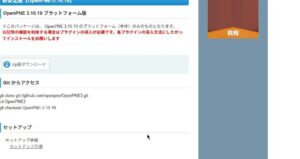
OpenPNEの基本をインストールする
ダウンロードしたパッケージをopnepnユーザのホームディレクトリに置くき、zipファイルを解凍する。
$ unzip openpne-OpenPNE3-OpenPNE-3.10.19-0-gad6ff5b.zip
[2025-06-03 20:37:40.705] Archive:  openpne-OpenPNE3-OpenPNE-3.10.19-0-gad6ff5b.zip
[2025-06-03 20:37:40.710] ad6ff5b0c83abcfa54325a1d0ba28b4520dd5f94
[2025-06-03 20:37:40.794]    creating: openpne-OpenPNE3-ad6ff5b/
[2025-06-03 20:37:40.799]   inflating: openpne-OpenPNE3-ad6ff5b/.gitignore
[2025-06-03 20:37:40.801]   inflating: openpne-OpenPNE3-ad6ff5b/LICENSE
            :
  inflating: openpne-OpenPNE3-ad6ff5b/web/pc_frontend.php
  inflating: openpne-OpenPNE3-ad6ff5b/web/pc_frontend_dev.php
 extracting: openpne-OpenPNE3-ad6ff5b/web/robots.txt
finishing deferred symbolic links:
  openpne-OpenPNE3-ad6ff5b/lib/vendor/symfony/lib/plugins/sfDoctrinePlugin/test/functional/fixtures/config/doctrine/linked_schema.yml -> ../../data/linked_schema.yml
$
$ mv openpne-OpenPNE3-ad6ff5b OpenPNE
$
$ cd OpenPNE
$
$ ls -l
合計 72
-rw-r--r-- 1 openpne openpne 11358 12月 12 10:52 LICENSE
-rw-r--r-- 1 openpne openpne 2071 12月 12 10:52 NOTICE
-rw-r--r-- 1 openpne openpne 164 12月 12 10:52 README
drwxr-xr-x 7 openpne openpne 4096 12月 12 10:52 apps
drwxr-xr-x 2 openpne openpne 4096 12月 12 10:52 bin
drwxr-xr-x 4 openpne openpne 4096 12月 12 10:52 config
drwxr-xr-x 7 openpne openpne 4096 12月 12 10:52 data
drwxr-xr-x 4 openpne openpne 4096 12月 12 10:52 doc
drwxr-xr-x 2 openpne openpne 4096 12月 12 10:52 i18n
drwxr-xr-x 30 openpne openpne 4096 12月 12 10:52 lib
drwxr-xr-x 2 openpne openpne 4096 12月 12 10:52 log
drwxr-xr-x 4 openpne openpne 4096 12月 12 10:52 plugins
-rwxr-xr-x 1 openpne openpne 446 12月 12 10:52 symfony
drwxr-xr-x 2 openpne openpne 4096 12月 12 10:52 templates
drwxr-xr-x 6 openpne openpne 4096 12月 12 10:52 test
drwxr-xr-x 8 openpne openpne 4096 12月 12 10:52 web
$
構成情報を修正する。
base_url と mail_domainを修正する。
$ cp config/ProjectConfiguration.class.php.sample config/ProjectConfiguration.class.php
$
$ cp config/OpenPNE.yml.sample config/OpenPNE.yml
$
$ vi config/OpenPNE.yml
$
$ diff config/OpenPNE.yml.sample config/OpenPNE.yml
7c7
< base_url: "http://example.com"
---
> base_url: "http://hoge000.jp"
15c15
< mail_domain: "example.com"
---
> mail_domain: "hoge000.jp"
27c27
< #mail_envelope_from: "return@example.com"
---
> mail_envelope_from: "return@hoge000.jp"
31c31
< #mail_smtp_host: "smtp.example.com"
---
> mail_smtp_host: "localhost"
35,38c35,38
< #mail_smtp_config:
< # auth: "login"
< # username: "myusername"
< # password: "password"
---
> mail_smtp_config:
> auth: "login"
> username: "openpne"
> password: "mypassword"
$
OpenPNEの拡張ファイルをインストールする
バンドルプラグインをダウンロード・インストールするため、 –internet オプションを付けてコマンドを実行しています。
php-7.4.33のコンパイルで取り込んだMySQLのドライバを利用してアクセスする設定を行う。
$ ./symfony openpne:install --internet

  Choose DBMS:
  - mysql
  - pgsql (unsupported)
  - sqlite (unsupported)
mysql          <--- mysqlを入力

  Type database username
openpne        <-- データベースにアクセスするユーザ名(openpne)を入力

  Type database password (optional)
mypassword     <--- パスワードを入力

  Type database hostname
localhost      <--- データベースのサーバ名(localhost)を入力

  Type database port number (optional)
  Type database name
   <---エンターキーを入力

  Type database socket path (optional)
  The DBMS                 : mysql
  The Database Username    : openpne
  The Database Password    : ******
  The Database Hostname    : localhost
  The Database Port Number :
  The Database Name        : openpne
  The Database Socket      :

  Is it OK to start this task? (Y/n)
Y
>> installer start clean install
 Failed to download plugin list.
>> chmod 777 /home/openpne/OpenPNE/cache
>> chmod 777 /home/openpne/OpenPNE/log
>> chmod 777 /home/openpne/OpenPNE/symfony
>> chmod 777 /home/openpne/OpenPNE/cache/config
>> chmod 777 /home/openpne/OpenPNE/cache/openpne
           :
>> link+     /home/openpne/OpenPNE/web/sfProtoculousPlugin
>> plugin    Configuring plugin - sfSymfonyTemplatingViewPlugin
>> installer installation is completed!
$
nginxへのアクセスを設定する
以下のURLにnginxでOpenPNEを動作させるための定義が有りました。
なかゆきの気まぐれ日記
fastcgi_pass定義で、php-7.4.33のphp-fpmプロセス指定する。
# cd /etc/nginx/conf.d
#
# vi openpne.conf
#
# cat openpne.conf
server {
        listen          443 ssl http2;
        server_name     ksm.wjg.jp;
        root            /home/openpne/OpenPNE/web;

        location / {
                if (-f "${document_root}/index.html") {
                        rewrite ^/$ /index.html last;
                }
                if (-f $request_filename.html) {
                        rewrite ^/([^.]+)$ /$1.html last;
                }
                if ($request_filename ~ \.php) {
                        rewrite ^/(.+\.php)/ /$1 last;
                }
                if (!-f $request_filename) {
                        rewrite ^/(.*)$ /index.php last;
                }

                location ~\.php$ {
                        try_files       $uri =404;
                        fastcgi_pass    unix:/usr/local/php-7.4/var/run/php-fpm/php-fpm-7.4.sock;
                        include         fastcgi_params;
                        fastcgi_param   SCRIPT_FILENAME $request_filename;
                        fastcgi_param   PATH_INFO       $fastcgi_path_info;
                }
        }
}
#
nginxを再起動する
# nginx -t
nginx: the configuration file /etc/nginx/nginx.conf syntax is ok
nginx: configuration file /etc/nginx/nginx.conf test is successful
#
# systemctl restart nginx
#
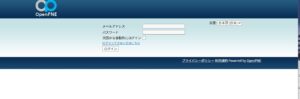
ブラウザでアクセスする
以下の情報でログインする。
メールアドレス: sns@example.com
パスワード: password
追加の設定(2026年)
基本方針は、メールを利用して登録・承認を行う様である。
メール送信が管理者であるsns@example.comユーザで送信されるため、ドメイン不正で受信が拒否される。
よって、有効なドメインのメールアドレスに変更する必要が有る。
管理者メールアドレスを変更する
メール送信管理者情報を変更し、更新情報を反映する。
# su - openpne
$ cd OpenPNE
$
$ cp lib/config/config/sns_config.yml lib/config/config/sns_config.yml_org
$
$ vi lib/config/config/sns_config.yml
$
$ diff -c lib/config/config/sns_config.yml_org lib/config/config/sns_config.yml
*** lib/config/config/sns_config.yml_org        2026-04-03 15:26:19.785897279 +0900
--- lib/config/config/sns_config.yml    2026-04-03 15:27:25.361719261 +0900
***************
*** 24,30 ****
      Caption:   "管理者メールアドレス"
      FormType:  "input"
      ValueType:  "email"
!     Default:    "sns@example.com"
      IsRequired: true
      IsTrim:     true

--- 24,30 ----
      Caption:   "管理者メールアドレス"
      FormType:  "input"
      ValueType:  "email"
!     Default:    "openpne@abc.hogehoge.jp"
      IsRequired: true
      IsTrim:     true

$
$ php symfony cc
>> file-     /home/openpne/OpenPNE/cache/config/OpenPNE.yml.php
>> file-     /home/openpne/OpenPNE/cache/nginx/config/OpenPNE.yml.php
>> file-     /home/openpne/OpenPNE/cache/nginx/glob_enable_plugin_path_controller/df.php
>> file-     /home/openpne/OpenPNE/cache/nginx/glob_enable_plugin_path_controller/6d.php
>> file-     /home/openpne/OpenPNE/cache/nginx/glob_enable_plugin_path_controller/ca.php
       :
>> file-     /home/openpne/OpenPNE/cache/nginx/pc_frontend/prod/i18n/sf_admin.zh_TW.xml.php
>> file-     /home/openpne/OpenPNE/cache/nginx/pc_frontend/prod/template/ksm_mydns_jp/all/sf...partial/default/__globalNav/sf_cache_key/622b4579330b68880e0f6e0acaad1140.cache
>> file-     /home/openpne/OpenPNE/cache/nginx/pc_frontend/prod/template/ksm_mydns_jp/all/sf...partial/default/__globalNav/sf_cache_key/1123b66671c88aa16dc8e24c96e56b5e.cache
>> file-     /home/openpne/OpenPNE/cache/nginx/pc_frontend/prod/template/ksm_mydns_jp/all/sf..._partial/default/__localNav/sf_cache_key/692779ae6486f3208291d6f4f8a4929b.cache
$
$ exit
管理者のパスワード変更と管理者を追加する
初期ユーザ(sns@example.com)の情報を先に変更すると、管理画面にログインできなくなる状態が発生したため、管理者情報を先に修正する。
管理画面にログインする
URL: https://abc.hogehoge.jp/openpne/pc_backend.php/
ユーザID: admin
パスワード: password
「管理画面設定」をクリックする
左ペインの「管理画面設定」をクリックする。
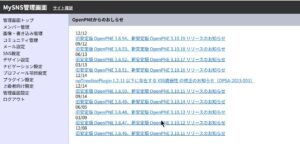
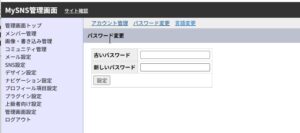
「パスワード変更」をクリックする
画面の上部の「パスワード変更」をクリックする。
新パスワードを設定
新旧のパスワードを入力して、「設定」をクリックする。
更新完了のメッセージは表示されず、画面が戻る。
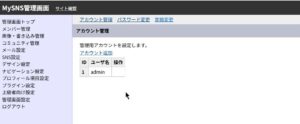
新たに管理者アカウントを追加する
画面の「アカウント追加」をクリックする。
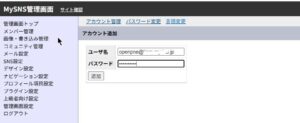
追加するアカウント記述する
追加するアカウントを記述して、「送信」をクリックする。
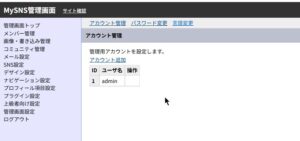
追加管理者アカウントの確認
追加された管理者アカウントを確認する。
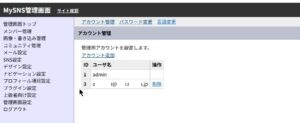
初期ユーザ(sns@example.com)とパスワードを変更する
ログインする
初期ユーザでログインする
「設定変更」をクリックする
画面の上部の「設定変更」をクリックする。
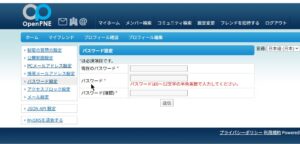
「パスワード設定」をクリックする
左ペインの「パスワード設定」をクリックする。
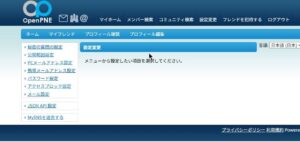
新パスワードを設定
新旧のパスワードを設定して、「送信」をクリックする。
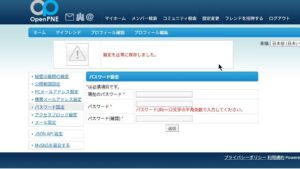
設定変更メッセージを確認する
「設定を正常に保存しました。」メッセージを確認する。
メールアドレスを変更する
左ペインの「PCメーるアドレス設定」をクリックしする。
新しいメールアドレスを設定して、「送信」をクリックする。
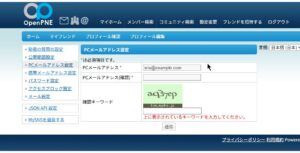
メール送信画面を確認する
「メッセージを送信しました。」のメッセージを確認する。
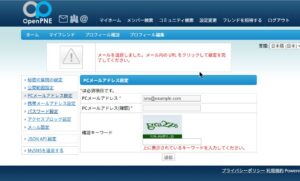
指定したユーザに以下の様なメールが届く
登録するために、受信したメールのURLをクリックする。
Subject: メールアドレス変更ページのお知らせ

以下のURLをクリックし、パスワードを入力して登録を完了してください。
メールアドレスが登録されている場合、新しいメールアドレスに変更されます。

 https://abc.hogehoge.jp/openpne/member/configComplete/token/f81ecbf27a333c90faa72fee4f113afa/id/1/type/pc_address

■□━━━━━━━━━━━━━━━━━━━━━━━━━━━

ご意見、ご感想などはお気軽にどうぞ!

MySNS
URL     : http://abc.hogehoge.jp/openpne
お問い合わせ : openpne@abc.hogehoge.jp

このメールに書かれた内容の無断転載、無断複製を禁じます。

━━━━━━━━━━━━━━━━━━━━━━━━━━━□■
設定変更(ユーザ登録)画面が表示される
登録してあるパスワードを入力し、「送信」をクリックする。
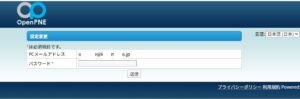
ログイン 画面が表示される
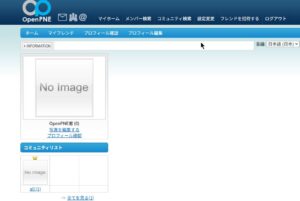
ユーザ登録
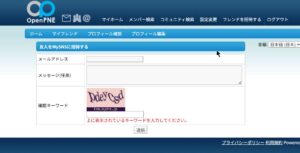
画面右上の「フレンドを招待する」をクリックする
メールアドレスを記入し、「送信」をクリックする
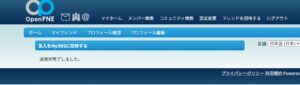
「送信が完了しました」のメッセージが表示される
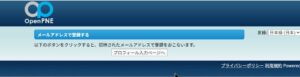
メールが届く
URLをクリックする。
Subject: MySNS招待状

こんにちは!MySNS からのお知らせです。

OpenPNE君 があなたをMySNS へ招待しています。


下記のURLから、会員登録(無料)をおこなうと、
MySNS に参加できます。

■ MySNS に参加する
 https://abc.hogehoge.jp/openpne/member/register/token/56b141c332194295dfe246d1b70505af3

■□━━━━━━━━━━━━━━━━━━━━━━━━━━━

ご意見、ご感想などはお気軽にどうぞ!

MySNS
URL     : http://abc.hogehoge.jp/openpne
お問い合わせ : openpne@ksm.mydns.jp

このメールに書かれた内容の無断転載、無断複製を禁じます。

━━━━━━━━━━━━━━━━━━━━━━━━━━━□■
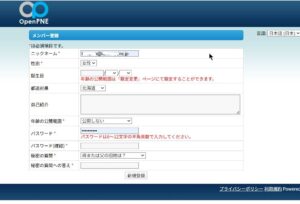
登録画面が表示される
メンバー登録画面
情報を入力して、「新規登録」をクリックする。
ログインする